

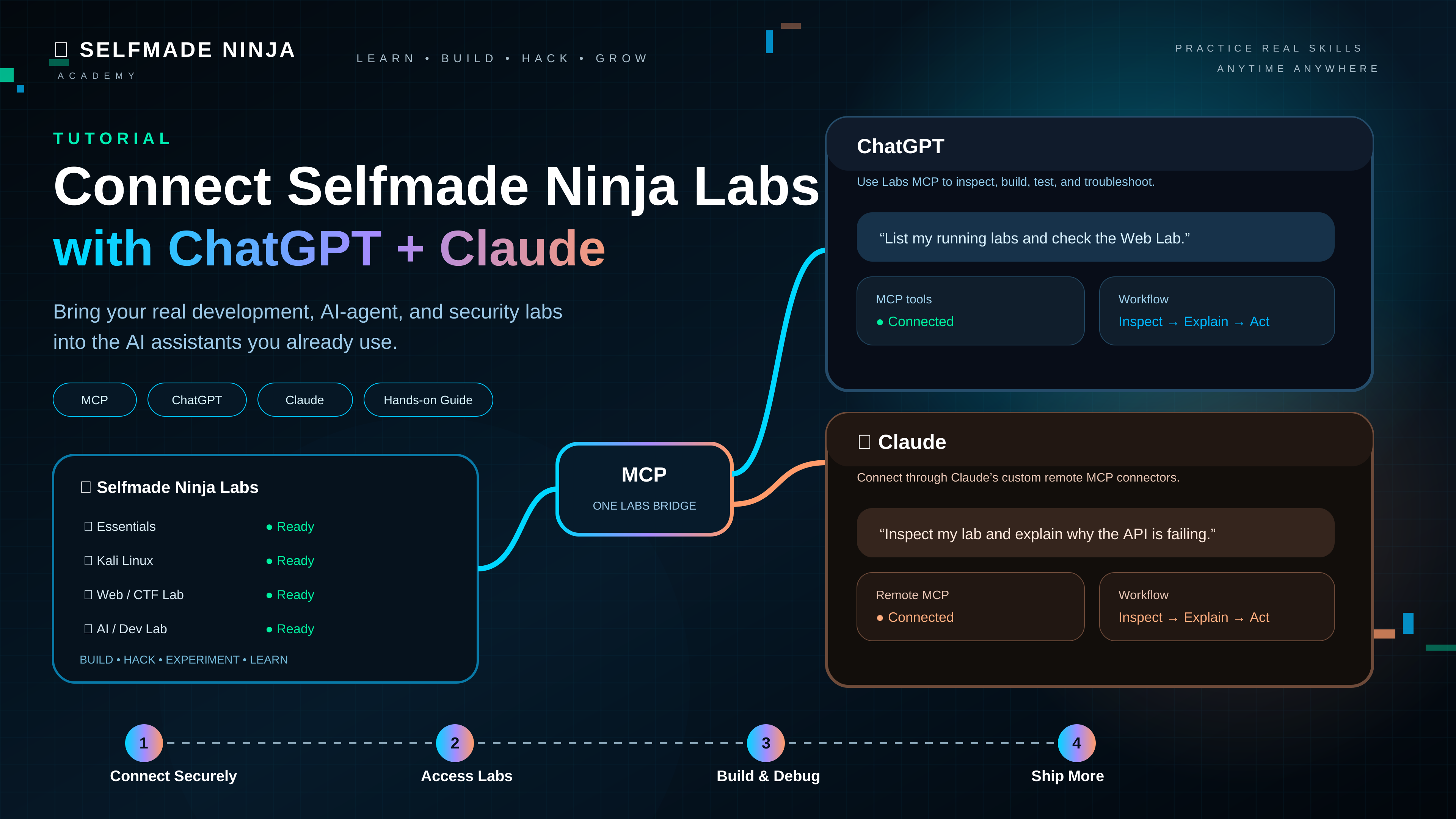
How to Connect Selfmade Ninja Labs MCP to ChatGPT & Claude
Connect Selfmade Ninja Labs MCP to ChatGPT & Claude Selfmade Ninja Labs can be connected to ChatGPT and Claude through the Model Context Protocol (MCP). Both AI assistants can connect to the same remote Labs MCP service, allowing them to work with the authorized state of your development, cybersecurity, AI-agent, and infrastructure labs. This guide puts both connection paths in one place, then shows how to use Labs MCP effectively and safely. What You Need An active Selfmade Ninja Labs account. Access to ChatGPT or Claude on a supported surface. A ChatGPT plan/workspace that supports custom MCP apps/developer mode, or a Claude plan/workspace that supports custom remote MCP connectors. An internet connection that can reach the remote Labs MCP service. The Selfmade Ninja Labs MCP endpoint: https://labs.selfmade.ninja/mcp What Is MCP? Model Context Protocol (MCP) is an open standard that lets AI applications such as ChatGPT and Claude connect to external tools and data through a structured, permission-controlled interface. Think of MCP as a bridge between an AI client and Selfmade Ninja Labs. ChatGPT and Claude are different MCP clients, but both can connect to the same remote Labs MCP service: One protocol · two AI clients · one Labs environment The MCP connection at a glance REMOTE MCP 01YouNatural-language request → 02ChatGPT / ClaudeAI client + reasoning → 03Model Context ProtocolStructured tool interface → 04Selfmade Ninja LabsAuthorized labs, domains, devices & services Without MCP, ChatGPT or Claude can explain how to use a lab, but they cannot directly access the information exposed by Labs. With MCP, the connected AI client can discover the tools provided by the Labs MCP server and use the appropriate tool when your request requires it. The important point is that MCP is not a ChatGPT-only or Claude-only technology. It is an open protocol. Selfmade Ninja Labs exposes one remote MCP endpoint, and compatible clients such as ChatGPT and Claude can connect to it using their own connection and authorization flows. The important idea: MCP does not give ChatGPT or Claude unrestricted access to your account. The MCP server defines the tools and capabilities that are exposed, while Labs authorization and the AI client’s permissions determine what can actually be used. Why Connect Labs MCP to ChatGPT or Claude? Connecting Labs MCP is useful when you want ChatGPT or Claude to work with the real state of your lab environment instead of relying on information you manually copy into the conversation. List your deployed labs. Check whether a lab is currently available. Inspect a lab’s connection information. Check your domains and identify which lab is using them. Review WireGuard networks and registered devices. Inspect available services and databases. Help troubleshoot a failed lab deployment. Inspect project files and explain their structure. Perform approved multi-step workflows using several Labs tools. The biggest productivity gain comes from combining natural-language intent with structured tools exposed by MCP. What Can You Actually Build With Labs MCP? Labs MCP is not limited to checking whether a lab is running. The bigger idea is to give an AI assistant a practical, authorized interface to a real development environment. That makes Selfmade Ninja Labs useful for application development, cybersecurity, AI-agent engineering, infrastructure work, automation, and hands-on learning. Build and ship applications Use ChatGPT or Claude together with your lab as an engineering workspace. You can inspect an existing project, understand its architecture, create or modify application files when permitted, run the application, inspect failures, and iterate toward a working result. Build web applications, APIs, CLI tools, automation scripts, and backend services. Inspect an unfamiliar codebase and explain its architecture. Debug build failures, dependency problems, runtime errors, and service issues. Run tests and verify that a change actually works. Work with Git repositories and keep development changes inside the lab environment. Cybersecurity and ethical hacking Labs MCP can make a security lab much more interactive. With an authorized target and an appropriate lab, ChatGPT or Claude can help you prepare methodology, inspect your environment, analyze tool output, troubleshoot security tooling, build scripts, and document findings. Prepare reconnaissance and enumeration workflows for systems you are authorized to test. Build and debug security utilities, scanners, parsers, and CTF tooling. Analyze logs, network information, service configurations, and captured results. Reproduce vulnerabilities inside controlled labs and validate defensive fixes. Develop CTF challenges and supporting infrastructure. Turn raw technical evidence into structured vulnerability reports. Security boundary: Use these capabilities only against systems and targets you are authorized to assess. MCP provides a connection to your lab; it does not make an unauthorized target permissible. Develop and test AI agents Labs can also serve as a practical environment for AI-agent development. Build agents that interact with APIs, files, databases, command-line tools, or other services inside a controlled environment, then test their behavior and iterate quickly. Prototype tool-using AI agents. Build agent backends and API services. Test agent workflows against realistic files, services, and network conditions. Debug agent failures by inspecting the actual runtime environment. Experiment with orchestration, tool calling, RAG pipelines, and automation. Infrastructure and DevOps workflows Because the MCP connection can work with the state of your Labs environment, it can also help with operational engineering. Inspect services, ports, processes, domains, and deployment state. Diagnose why an application or service is unavailable. Review configuration before a deployment. Automate repeatable development tasks where permitted. Verify that a deployment produced the expected result. Learn by doing For students and practitioners, this creates a powerful learning loop: ask → inspect → experiment → observe → explain → repeat. Instead of only reading how Linux, networking, programming, security, or AI systems work, you can use a real lab and ask ChatGPT or Claude to help you understand what is happening as you work. The key advantage The important distinction is that your AI assistant is not merely generating instructions for you to copy. When the required permissions are available, it can work with the actual state of your lab. That means explanations can be grounded in real files, processes, services, configurations, and
How to Connect Selfmade Ninja Labs MCP to ChatGPT & Claude Read More »